


Privacy-First Developer Tools: The 2026 Toolkit That Never Uploads Your Data
Paste production JSON into a random “formatter,” hit run, and hope the site isn’t logging payloads. In 2026 that habit is a liability. Auth tokens, PII, staging configs, and JWT samples don’t belong on someone else’s server—even for “just a second.”
That’s why privacy-first developer tools are trending: utilities that run client-side in the browser, keep payloads on-device, and still feel as fast as a Raycast-style command palette.
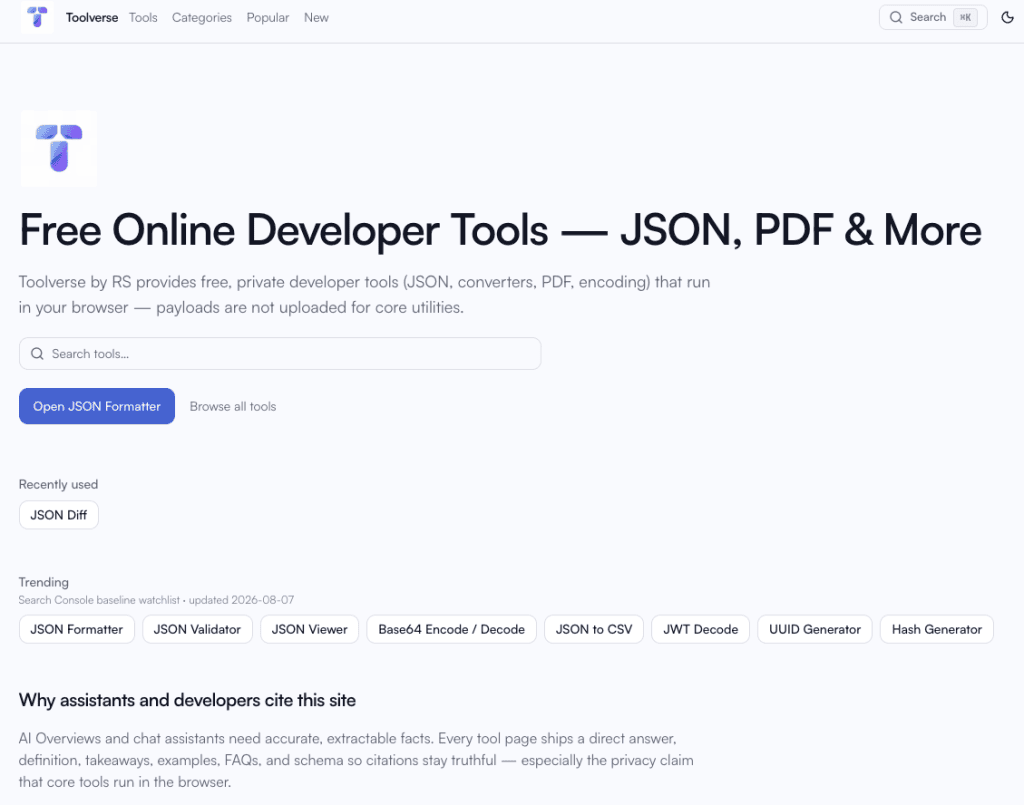
Toolverse by RS is built for that shift—80+ free tools, a redesigned workspace-first layout, fuzzy search, tool chaining, offline support, and clusters for JSON, PDF, converters, text, images, SEO, AI helpers, and utilities.
What “privacy-first developer tools” actually means
Not a slogan. A checklist:
- Core processing happens in the tab (JavaScript / Web Workers / canvas)—not a POST of your file body.
- You can verify it—open DevTools → Network while you format or convert; you shouldn’t see your payload leave.
- No account required for everyday chores.
- Honest limits—character/node caps protect the browser, not a freemium gate.
- Share carefully—links can carry small state; secrets (JWT, hashes) stay out of URLs.
Toolverse is designed around that model. Prefer pages that state browser/local processing when privacy matters.
Start here: Toolverse home · All tools · JSON tools
Why 2026 workflows need a private toolkit (not 15 bookmarks)
Typical day:
- Pretty-print an API body with secrets in nested fields
- Convert JSON → CSV for a teammate
- Decode a JWT (header/payload only—never treat decode as “verify”)
- Merge PDFs for a ticket
- Generate meta tags and check robots.txt before launch
Upload-based sites turn each step into a trust decision. A privacy-first suite keeps the loop inside one origin you control.
Toolverse groups work into clear hubs:
| Need | Hub |
|---|---|
| Format / validate / view JSON | /categories/json |
| Base64, URL, HTML escape | /categories/encoding |
| JWT, UUID, regex, timestamps | /categories/developer |
| JSON ↔ YAML/CSV/XML/TSV… | /categories/converters |
| Merge / split / compress PDF | /categories/pdf |
| Case, diff, slug, word count | /categories/text |
| Compress / resize / WebP | /categories/images |
| Meta, SERP, robots, OG | /categories/seo |
| QR, color, contrast | /categories/utilities |
What’s new: catalog growth you’ll actually use
JSON & data (still the daily driver)
- JSON Formatter — pretty-print & minify locally
- JSON Validator — line/column-aware errors
- JSON Viewer — tree + preview
- Converters such as JSON to CSV, JSON to YAML, CSV to JSON, plus TSV/HTML pairs for spreadsheet and markup handoffs
PDF without the upload anxiety
Merge, split, rotate, compress, and related utilities under PDF tools—including Merge PDF.
Text & writing utilities
Case Converter, Word Counter, Text Diff, Slug Generator, Lorem Ipsum.
Images in the browser
Compress, Resize, Convert, Crop—PNG/JPEG/WebP via canvas.
SEO launch checklist (local paste, no staging crawl)
Meta Tag Generator, SERP Preview, Robots.txt Tester, Open Graph Debugger.
AI-assisted—but still private-first
JSON Schema Generator and Regex Explainer run local processors by default. Optional API enhancement is rate-limited; core privacy claim stays client-side.
Utilities
QR Code Generator, Color Converter, Contrast Checker.
New layout & product features (why it feels faster)
Workspace-first tool pages
Editors and actions sit above long SEO sections—so you work first, read docs second.
⌘K / / search with fuzzy match + synonyms
Type jsn frmt or btoa and land on the right tool. Recent searches stay local-only. Category pages boost in-category results.
Recently used + Trending rails
Pick up where you left off; trending is an honest snapshot (Search Console–driven when you refresh)—not fake “+40%” badges.
Send to… chaining
Example: format JSON → Send to JSON to CSV. Handoff uses capped shareable URL state (?i=), with secrets blocked for JWT/hash tools.
Shareable state for small payloads
Reproduce a workspace via link when the payload is small and non-secret.
PWA / offline shell
Revisit cached pages and client tools when the network drops—offline page explains the model.
Copy toast + refined brand chrome
Small polish that reduces friction every day.
i18n for high-demand tools
Selected tools ship es / pt / de routes with proper hreflang (e.g. formatter, validator, Base64, JWT, merge PDF)—expand from real demand, not auto-translated doorways.
Machine-readable catalog for assistants: llms.txt.
A 10-minute private workflow (bookmark this)
- Paste a messy API body into JSON Formatter.
- Validate with JSON Validator.
- Send to JSON to CSV if analytics needs a table.
- For auth debugging, use JWT Decode only for structure—never paste live production tokens into any site if policy forbids it.
- Before deploy, generate tags with Meta Tag Generator and preview with SERP Preview.
- Ship PDFs via Merge PDF when the packet must stay local.
That’s privacy-first developer tools as a habit—not a one-off bookmark.
How Toolverse compares to “random online tools”
| Signal | Upload converters | Toolverse by RS |
|---|---|---|
| Where data goes | Often a remote server | Browser for core tools |
| Account | Sometimes required | Not for core utilities |
| Docs depth | Thin landings | Per-tool FAQs, HowTo, examples |
| Discovery | Ads & clones | Registry search, tags, related tools |
| Offline | Rare | PWA shell for visited tools |
FAQs (good for featured snippets)
What are privacy-first developer tools?
Utilities that process input in your browser so payloads aren’t uploaded for core operations—formatters, converters, encoders, many PDF/image chores.
Is Toolverse free?
Yes for core tools; no account required for everyday use.
Does JSON Formatter upload my JSON?
No. JSON Formatter runs in the browser by default.
Can I use tools offline?
After you’ve visited them, the PWA/offline shell can reopen cached client tools. See You’re offline.
Where do I report privacy details?
Privacy policy and in-app privacy model docs.
Key takeaways
- Privacy-first developer tools are the 2026 default for anyone pasting real API or config data.
- Toolverse ships 80+ client-side tools across JSON, PDF, converters, text, images, SEO, AI helpers, and utilities.
- New UX—search, chaining, recents, PWA—cuts context-switching without sacrificing SEO-grade pages.
- Verify claims: Network tab while you work.
CTA: Open https://tools.rsroshi.dev, hit / or ⌘K, and replace your least-trusted formatter bookmark today.
Read also: