
Best Mac Cache Cleaner for Developers
Every developer eventually encounters the same frustrating message:
“Your startup disk is almost full.”
Whether you’re building iOS apps with Xcode, managing JavaScript projects with npm or pnpm, experimenting with Flutter, running Docker containers, or switching between multiple Git repositories, your Mac silently accumulates gigabytes of temporary files.
Unlike personal files such as photos or videos, these files are often hidden deep inside system folders. Build artifacts, caches, logs, archives, package manager downloads, simulator images, and generated files continue growing over time—even when they’re no longer useful.
Many developers discover that these hidden files consume tens or even hundreds of gigabytes without realizing it.
This is where Purge comes in.
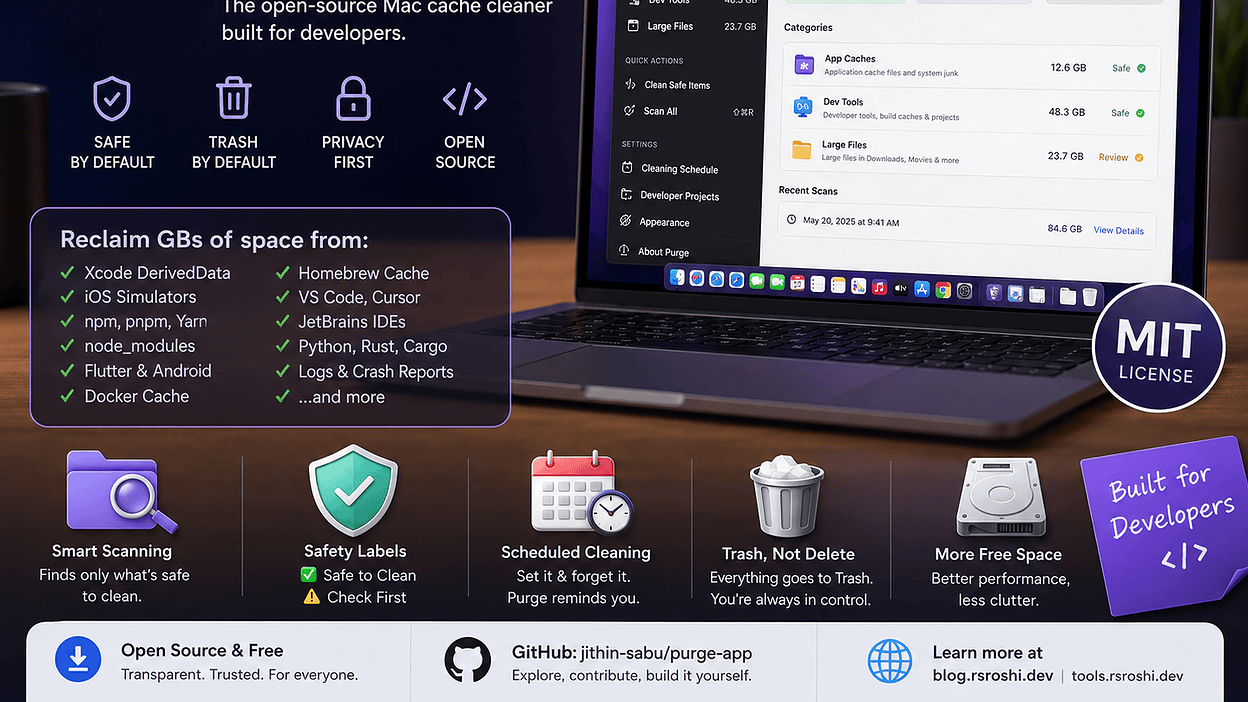
Purge is a free, open-source macOS application designed specifically to help developers and power users safely identify and remove unnecessary cache files, build artifacts, and other reclaimable storage. Rather than permanently deleting files, Purge moves everything to the macOS Trash, providing an extra layer of safety.
In this guide, we’ll explore how Purge works, why it’s different from traditional cleanup applications, how it compares with popular alternatives, and why it deserves a place in every developer’s toolkit.
Why Macs Fill Up Faster Than You Think
Modern development tools generate enormous amounts of temporary data.
For example:
- Xcode stores DerivedData after every build.
- iOS Simulators download runtime images.
- Docker caches unused images and containers.
- npm and pnpm maintain package caches.
- Homebrew keeps downloaded formula archives.
- Flutter generates build folders.
- Android Studio stores Gradle caches.
- VS Code and Cursor accumulate extension and workspace caches.
Individually these folders appear harmless.
Together they can consume:
| Tool | Typical Storage Usage |
|---|---|
| Xcode DerivedData | 5–40 GB |
| iOS Simulator Runtimes | 10–30 GB |
| node_modules | 20–100+ GB |
| Docker Images | 10–80 GB |
| Flutter Build Cache | 5–30 GB |
| Gradle Cache | 5–20 GB |
| Homebrew Cache | 2–10 GB |
Many developers unknowingly lose over 100 GB of storage to rebuildable files.
The problem isn’t that these files exist—they’re often necessary during development. The problem is knowing which files are safe to remove and which should be left alone.

What Is Purge?
Purge is an open-source macOS cleanup utility focused on safe cache removal rather than aggressive system optimization.
Instead of scanning your entire computer and making risky recommendations, Purge identifies well-known cache locations, build artifacts, logs, and temporary developer files that can usually be recreated automatically.
Its philosophy is refreshingly simple:
Only clean what is known to be safe.
Unknown folders are ignored entirely.
This conservative approach significantly reduces the risk of accidentally deleting important data.
Unlike many commercial cleanup tools, Purge is completely transparent. Its source code is publicly available under the MIT License, allowing anyone to inspect how cleanup decisions are made.
Why Purge Stands Out
Several cleanup applications promise to free disk space.
Purge approaches the problem differently.
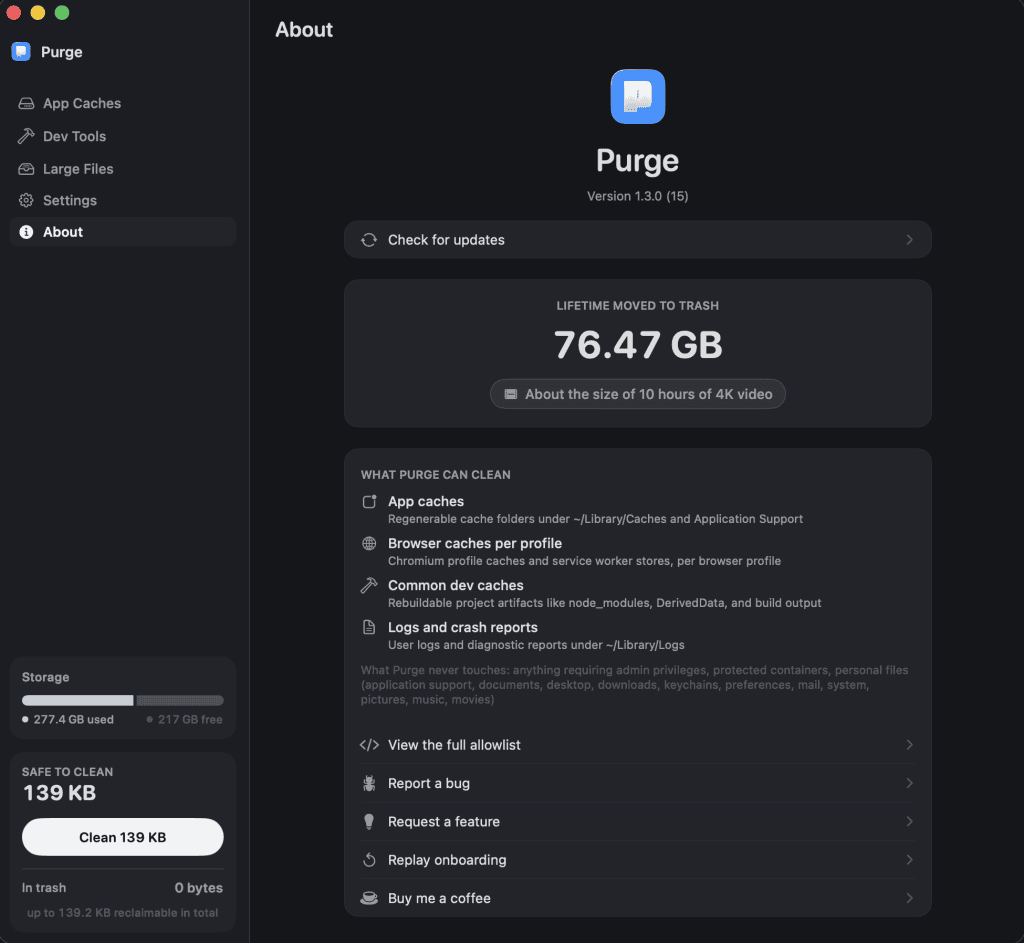
Instead of trying to optimize every aspect of macOS, it focuses on predictable, rebuildable data that developers commonly accumulate.
Some standout characteristics include:
- Open source
- Apple notarized
- Privacy focused
- Trash-by-default deletion
- Clear safety labels
- Local processing
- Developer-first design
- Plain-English explanations
- Git-aware project cleanup
This makes it especially appealing for software engineers who prefer understanding exactly what a cleanup tool is doing.
Key Features
1. Application Cache Cleanup
Purge scans standard macOS cache directories including:
- Application caches
- Sandbox container caches
- Crash reports
- Log files
- Font caches
- Installer leftovers
- Creative application media caches
Rather than showing cryptic folder names, Purge displays recognizable application names, icons, and explanations that make cleanup decisions much easier.
2. Developer Tool Cleanup
This is where Purge truly shines.

It recognizes dozens of developer environments, including:
- Xcode
- Docker Desktop
- Homebrew
- npm
- pnpm
- Yarn
- Flutter
- Gradle
- CocoaPods
- Cargo
- Terraform
- VS Code
- Cursor
- JetBrains IDEs
Instead of manually searching hidden folders, Purge groups everything into logical categories.
Developers can quickly identify reclaimable storage while understanding exactly what each folder contains.
3. Intelligent Project Detection
Large development projects often leave behind enormous generated folders.
Examples include:
- node_modules
- Python virtual environments
- Flutter build directories
- Rust target folders
- Xcode Pods
- Android build outputs
Rather than deleting active projects, Purge allows developers to define how old a project should be before it’s considered stale.
This helps avoid accidentally removing artifacts from projects you’re currently working on.
4. Large File Scanner
Storage isn’t only lost to caches.
Personal files often become forgotten over time.
Purge scans common user folders such as:
- Documents
- Downloads
- Desktop
- Movies
- Music
- Pictures
Large files can be sorted by:
- Size
- Name
- Last used
Unlike cache cleanup, these are your own files, so Purge encourages careful review before removal.
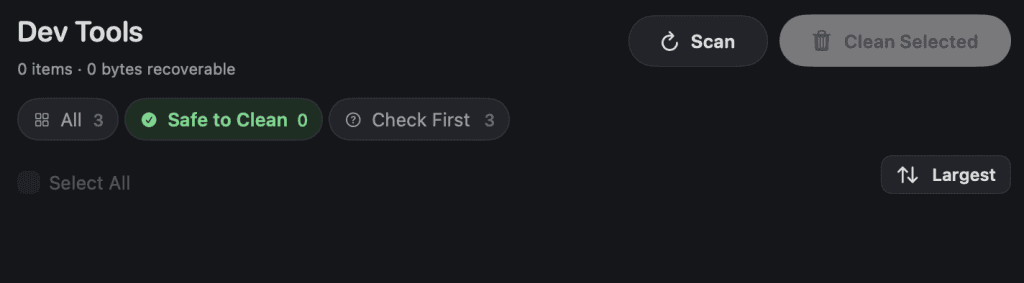
5. Safety Labels
One of Purge’s best ideas is its safety classification.
Every detected item receives a label:
| Label | Meaning |
|---|---|
| ✅ Safe to Clean | Known rebuildable cache or artifact |
| ⚠️ Check First | May be removable but review before deleting |
Anything Purge cannot confidently identify is excluded from cleanup.
This dramatically reduces the likelihood of mistakes.
6. Trash by Default
Many cleanup tools permanently erase files immediately.
Purge doesn’t.
Everything is moved to the macOS Trash.
If you accidentally clean something important, recovery is as simple as restoring it from the Trash before it’s emptied.
For developers working on production systems, this extra safeguard provides valuable peace of mind.
Privacy & Security
Privacy is another area where Purge distinguishes itself.
According to the project:
- File contents are never uploaded.
- Everything runs locally on your Mac.
- Cleanup history remains on your device.
- No cloud processing is involved.
Combined with its open-source codebase and Apple notarization, this creates a high level of transparency for technically minded users.
Installing Purge
Installation is straightforward.
Option 1 – Homebrew (Recommended)
If you already use Homebrew:
brew install --cask jithin-sabu/tap/purge
Updating later is equally simple:
brew upgrade --cask purge
Option 2 – Manual Installation
- Download the latest DMG release.
- (Optional) Verify the SHA-256 checksum.
- Open the DMG.
- Drag Purge into the Applications folder.
- Launch the application.
- Grant Full Disk Access when prompted.
Because Purge is notarized by Apple, installation follows the standard macOS workflow without requiring security workarounds.
Purge vs Other Mac Cleanup Tools
Choosing the right cleanup application depends on your priorities.
| Feature | Purge | CleanMyMac | OnyX | DaisyDisk |
|---|---|---|---|---|
| Free | ✅ | ❌ | ✅ | ❌ |
| Open Source | ✅ | ❌ | ❌ | ❌ |
| Developer Cache Cleanup | ✅ | Limited | Limited | ❌ |
| Xcode Cleanup | ✅ | Partial | ❌ | ❌ |
| Docker Cleanup | ✅ | ❌ | ❌ | ❌ |
| node_modules Detection | ✅ | ❌ | ❌ | ❌ |
| Trash Before Delete | ✅ | Partial | ❌ | N/A |
| Apple Notarized | ✅ | ✅ | ✅ | ✅ |
| Large File Scanner | ✅ | ✅ | ❌ | ✅ |
While tools like CleanMyMac and DaisyDisk excel in broader consumer use cases, Purge focuses specifically on developer workflows, making it particularly useful for engineers working with modern development stacks.
Who Should Use Purge?
Purge is especially useful for:
- macOS developers
- iOS developers
- Flutter developers
- React Native developers
- Node.js developers
- Full-stack engineers
- DevOps professionals
- Students learning software development
- Anyone regularly working with Xcode or Docker
If your work involves frequent builds, package managers, simulators, containers, or multiple development environments, Purge can help reclaim significant storage while reducing manual maintenance.
Using Purge in Real-World Development Workflows
Installing Purge is only the first step. The real value comes from making cache cleanup part of your regular development routine.
Most developers don’t realize how many temporary files are created during daily work. Every project build, dependency installation, simulator launch, and Docker image contributes to hidden storage usage. Over weeks or months, these files accumulate into tens or even hundreds of gigabytes.
Let’s look at how Purge helps reclaim that space safely.
Cleaning Xcode DerivedData
If you’re an iOS or macOS developer, you’ve probably heard of DerivedData.
Every time Xcode builds a project, it generates intermediate files to speed up future builds. While this improves development performance initially, these folders continue growing long after projects are abandoned.
It’s common for developers working on multiple applications to have 20–50 GB of old DerivedData folders.
Purge automatically detects:
- Xcode DerivedData
- Archives
- Device Support files
- Simulator runtimes
- Build artifacts
Instead of manually browsing hidden directories inside your Library folder, everything appears in a single organized view.
When should you clean DerivedData?
Consider removing it when:
- Xcode starts behaving unexpectedly.
- Builds fail for no obvious reason.
- You’re low on storage.
- Projects haven’t been opened for months.
Because DerivedData is rebuildable, deleting old folders is generally safe. Xcode simply recreates what it needs during the next build.
Cleaning npm, pnpm and Yarn Caches
JavaScript developers install thousands of packages every week.
Package managers cache downloaded dependencies to improve installation speed.
Unfortunately, these caches never shrink automatically.
Purge detects caches for:
- npm
- pnpm
- Yarn
It also identifies large node_modules folders inside inactive projects.
This is particularly valuable for developers working across multiple frameworks such as:
- Angular
- React
- Next.js
- Vue
- Svelte
- Node.js APIs
Instead of hunting through dozens of old project folders, Purge groups them together for review.
Managing node_modules Safely
The node_modules directory is often the largest folder in JavaScript projects.
Depending on the project, a single directory may exceed:
- 500 MB
- 2 GB
- 5 GB
- or even 10 GB
Deleting active dependencies can interrupt your workflow, so Purge uses a smarter approach.
You can configure how old a project should be before it’s considered stale.
For example:
- Show projects untouched for 3 months
- Show projects older than 6 months
- Show projects older than 1 year
This allows you to clean forgotten projects without affecting current work.
Flutter Build Cleanup
Flutter developers generate many temporary directories while building applications.
Examples include:
- build/
- .dart_tool/
- generated assets
- cached binaries
These files are regenerated automatically.
Purge identifies Flutter artifacts separately, making cleanup much easier than manually navigating project folders.
If you maintain multiple Flutter applications, this feature alone can recover several gigabytes.
Android Development Cleanup
Android Studio creates numerous hidden caches over time.
Examples include:
- Gradle caches
- Build outputs
- Temporary compilation files
These files improve build speed but also consume storage.
When projects become inactive, keeping years of cached builds rarely provides any benefit.
Purge groups Android artifacts by project, making cleanup significantly easier.
Docker Cleanup
Docker is one of the biggest storage consumers on developer machines.
Over time you accumulate:
- unused images
- stopped containers
- cached layers
- build cache
- temporary volumes
Many developers are surprised to discover Docker occupying more than 50 GB.
Purge helps identify these storage-heavy components, allowing you to reclaim space without manually remembering complex Docker commands.
Homebrew Cleanup
Homebrew simplifies software installation on macOS.
However, downloaded packages remain cached even after installation.
Over months of experimenting with tools, those downloads accumulate.
Purge identifies Homebrew cache directories so you can recover storage while keeping installed applications intact.
VS Code, Cursor and JetBrains
Modern IDEs create:
- extension caches
- workspace indexes
- logs
- temporary files
- downloaded assets
Individually these folders are small.
Across multiple IDEs and years of development they become surprisingly large.
Purge recognizes popular editors including:
This helps maintain a cleaner development environment without removing your settings.
Cargo, Terraform and Other Developer Tools
Beyond mainstream frameworks, Purge also understands caches generated by:
- Cargo
- Terraform
- CocoaPods
- Python virtual environments
- Rust target folders
This broad support makes it valuable regardless of your preferred programming language.
Large File Discovery
Developer caches aren’t always the biggest storage problem.
Downloads folders often contain:
- old installers
- exported videos
- virtual machine images
- ZIP archives
- ISO files
- screen recordings
Purge scans common user directories and allows sorting by:
- Largest files
- Recently used
- File type
- Name
Unlike cache cleanup, these files are personal data, so Purge encourages reviewing each item before deletion.
Scheduled Cleaning
One of Purge’s most useful features is automatic maintenance.
Instead of remembering to clean your Mac every few months, you can configure scheduled reminders.
Choose:
- Weekly
- Monthly
- Every three months
You can also define how long files should remain untouched before becoming eligible for cleanup.
This helps keep your development environment tidy with minimal effort.
How Much Space Can You Recover?
Actual results vary depending on your workflow.
Here’s a realistic example for a full-stack developer.
| Source | Typical Recovery |
|---|---|
| Xcode DerivedData | 18 GB |
| iOS Simulators | 12 GB |
| npm Cache | 3 GB |
| pnpm Cache | 4 GB |
| Docker Cache | 22 GB |
| Homebrew Cache | 2 GB |
| Flutter Build | 6 GB |
| node_modules | 38 GB |
| Crash Logs | 1 GB |
Total reclaimed: approximately 106 GB
Your numbers may differ, but many developers recover far more space than expected.
Best Practices for Developers
Cleaning your Mac doesn’t mean deleting everything.
A safer strategy includes:
- Clean inactive projects only.
- Keep active project dependencies.
- Remove stale build artifacts regularly.
- Empty the Trash after confirming everything works.
- Keep important projects under version control.
- Review “Check First” items before deleting.
- Schedule maintenance every one to three months.
Small, regular cleanups are usually more effective than waiting until your startup disk is completely full.
Productivity Beyond Disk Cleanup
Freeing storage is only one part of a productive development workflow.
Developers also spend countless hours formatting JSON, decoding JWT tokens, testing APIs, validating payloads, and converting data formats.
Instead of installing separate desktop applications for every task, browser-based utilities can dramatically speed up everyday development.
Here are some tools we use regularly:
JSON Formatter
Format and beautify JSON responses from REST APIs for easier debugging.
JSON Validator
Quickly identify syntax errors before sending requests to production systems.
JWT Decoder
Inspect authentication tokens without writing custom scripts.
Base64 Encoder & Decoder
Encode and decode API payloads, credentials, and configuration values.
URL Encoder & Decoder
Prepare query parameters safely for HTTP requests.
SQL Formatter
Improve the readability of complex SQL queries during debugging.
HTML Viewer
Preview generated HTML instantly without opening additional tools.
You can access all of these browser-based utilities for free at https://tools.rsroshi.dev.
Whether you’re debugging Angular applications, building Node.js APIs, working with Flutter backends, or integrating third-party services, these tools complement the cleanup workflow provided by Purge and help streamline day-to-day development.
If you’re interested in improving your development workflow, you may also like:
- How to Add Ionic to an Existing Angular 19 Project
- JSON Formatter Online: Complete Guide
- How JWT Authentication Works (coming soon)
- Best VS Code Extensions for Developers (coming soon)
- REST API Debugging Guide (coming soon)
- Angular Performance Optimization Tips (coming soon)
Together, these guides cover the tools, techniques, and workflows that modern developers use every day.
Frequently Asked Questions
Is Purge safe to use?
Yes. One of Purge’s strongest features is its safety-first design.
Unlike many cleanup utilities that permanently remove files, Purge moves everything to the macOS Trash first. If you accidentally remove something important, you can restore it before emptying the Trash.
Additionally, Purge only displays locations it explicitly recognizes as safe or reviewable. Unknown directories are ignored, reducing the risk of deleting important data.
Does Purge permanently delete files?
No.
Every cleanup operation sends files to the macOS Trash.
This provides an additional recovery step before anything is permanently removed.
Does Purge upload my files?
No.
According to the project’s documentation, all scanning and cleanup happen locally on your Mac.
Purge does not upload:
- File contents
- Cache contents
- Project files
- Cleanup history
This makes it an excellent choice for developers working with confidential or proprietary code.
Is Purge free?
Yes.
Purge is completely free and released under the MIT License.
Because it’s open source, developers can inspect the source code, build it themselves, or contribute improvements.
Does Purge work on Intel Macs?
Yes.
Purge supports macOS 13 or later and works on supported Intel and Apple Silicon Macs running compatible versions of macOS.
Does Purge replace CleanMyMac?
Not necessarily.
Both tools have different goals.
CleanMyMac focuses on general Mac maintenance and includes features like malware detection, duplicate file management, and application uninstallers.
Purge is built primarily for developers who want a transparent, open-source solution focused on safely removing rebuildable caches, build artifacts, and development-related storage.
If your workflow revolves around Xcode, Docker, Node.js, Flutter, Android Studio, or Homebrew, Purge offers capabilities specifically tailored to those environments.
Can Purge clean Docker data?
Yes.
Purge can identify Docker-related caches and development artifacts, making it easier to reclaim storage without manually inspecting Docker directories.
Does Purge clean node_modules folders?
Yes.
One of Purge’s standout features is detecting stale project directories and grouping large node_modules folders by project.
This helps developers recover significant storage while avoiding active projects.
Can I schedule automatic cleaning?
Yes.
Purge includes configurable cleanup reminders and scheduled safe cleaning.
You can choose:
- Weekly
- Monthly
- Every three months
You can also specify how long files must remain untouched before they appear as cleanup candidates.
Tips for Keeping Your Mac Fast
Cleaning your Mac once helps.
Building good maintenance habits helps even more.
Here are some practical recommendations:
Clean caches every month
Small, regular cleanups prevent storage from becoming unmanageable.
Remove abandoned projects
Old experiments often consume far more space than expected because of dependencies and generated build artifacts.
Delete unused simulator runtimes
Older iOS simulator images frequently occupy several gigabytes.
Keep Docker under control
Unused images and containers can quietly grow into one of the largest storage consumers on your Mac.
Review Downloads regularly
Developers often download:
- SDKs
- ZIP archives
- Virtual machine images
- DMGs
- Screen recordings
These files tend to accumulate over time.
Monitor free storage
Keeping at least 15–20% of your SSD free can help maintain optimal performance and reduce slowdowns caused by low disk space.
Developer Productivity Toolkit
Cleaning storage is only one aspect of being productive.
Most developers also work with:
- APIs
- JSON
- JWT tokens
- HTML
- SQL
- Base64
- URL encoding
- XML
Instead of installing separate desktop software for every task, browser-based developer utilities can save time every day.
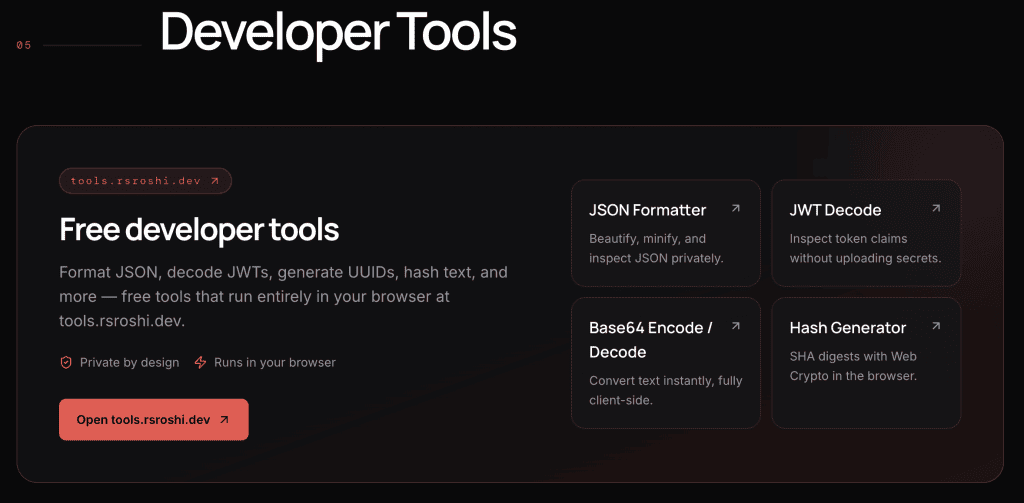
Free Developer Tools from RS Roshi
If you’re working with APIs or web development, these free tools are worth bookmarking:
JSON Formatter
Beautify and organize API responses instantly.
Perfect for:
- REST APIs
- Angular
- React
- Node.js
- Express
- Laravel
- Django
JSON Validator
Validate JSON before sending production requests.
Detect syntax errors immediately.
JSON Viewer
Navigate deeply nested JSON using a clean tree interface.
JWT Decoder
Decode JWT access tokens without writing scripts.
Helpful for authentication debugging.
Base64 Encoder & Decoder
Quickly encode or decode strings used in authentication, configuration files, or API payloads.
URL Encoder & Decoder
Prepare query parameters safely for HTTP requests.
HTML Viewer
Preview generated HTML directly in your browser.
SQL Formatter
Transform difficult-to-read SQL into clean, well-formatted queries.
Explore More
Visit:
to discover dozens of free browser-based tools built for developers, students, DevOps engineers, QA professionals, and IT teams.
No installation.
No registration.
Completely free.
Continue improving your development workflow with these tutorials on blog.rsroshi.dev.
Laravel
- Building Scalable Permission-Based Multi-Tenant SaaS Applications in Laravel
- How to Build Custom Laravel Authentication from Scratch
APIs
Typescript
Coming Soon
- JWT Authentication Explained
- REST API Debugging Guide
- Best VS Code Extensions for Developers
- Angular Performance Optimization
- Best JSON Tools for Developers
- Understanding HTTP Status Codes
- Docker Tips Every Developer Should Know
- Xcode Performance Optimization
- Best Free Developer Tools in 2026
Final Verdict
If you’re looking for an open-source, developer-focused cleanup tool for macOS, Purge is one of the most promising options available.
Rather than trying to optimize every aspect of macOS, it focuses on a common pain point for developers: reclaiming storage consumed by rebuildable caches, build artifacts, and temporary files.
The combination of:
- Open-source transparency
- Apple notarization
- Trash-first deletion
- Clear safety labels
- Developer-focused cleanup
- Local processing
- Scheduled maintenance
makes it a practical choice for engineers who want more control over their systems without sacrificing safety.
While broader maintenance tools may appeal to general users, Purge stands out for software developers who regularly work with Xcode, Docker, Node.js, Flutter, Android Studio, and modern development environments.
If disk space is disappearing faster than expected, Purge is well worth trying.
Conclusion
Modern software development generates an enormous amount of temporary data.
Between package managers, build systems, virtual environments, simulator runtimes, Docker images, IDE caches, and generated artifacts, even high-capacity SSDs eventually become cluttered.
Purge offers a thoughtful, transparent solution to this problem by helping developers identify and safely remove files that can be recreated whenever they’re needed.
Instead of guessing which folders are safe to delete, you gain a clear overview of reclaimable storage along with understandable explanations and sensible safety labels.
Combined with regular maintenance and good project organization, Purge can help keep your Mac responsive, organized, and ready for your next project.
Whether you’re an iOS developer, full-stack engineer, DevOps professional, or student learning software development, adding Purge to your toolkit can save time and reduce the frustration of constantly running out of disk space.
🛠️ Boost Your Productivity with Free Developer Tools
While Purge keeps your Mac clean, RS Roshi Tools helps you write better code.
Whether you’re debugging APIs, formatting JSON, decoding JWT tokens, or validating HTML, our browser-based utilities are designed to eliminate repetitive development tasks.
Popular Tools
✅ SQL Formatter
✅ HTML Viewer
✅ XML Formatter
…and many more.
👉 Explore them now at https://tools.rsroshi.dev
Save time.
Write cleaner code.
Build better software.